The Metro Line is open: Edmonton’s LRT now extends north to NAIT

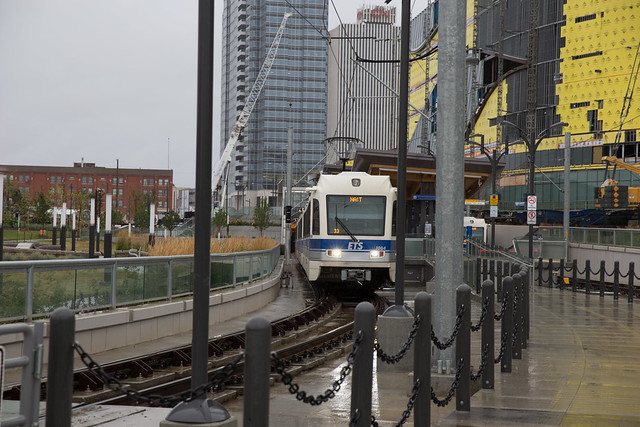
Today the oft-delayed Metro Line LRT extension from Churchill Station to NAIT opened. The 3.3 km extension adds a second operational line to Edmonton’s LRT Network Plan, and features the first new stations in four years. But today’s launch was very different than the two most previous extension openings, to South Campus in 2009 and Century Park in 2011. Those extensions opened with great fanfare featuring politicians making speeches and shaking hands. The Metro Line opened quietly this morning with no ceremony.

MacEwan LRT Station
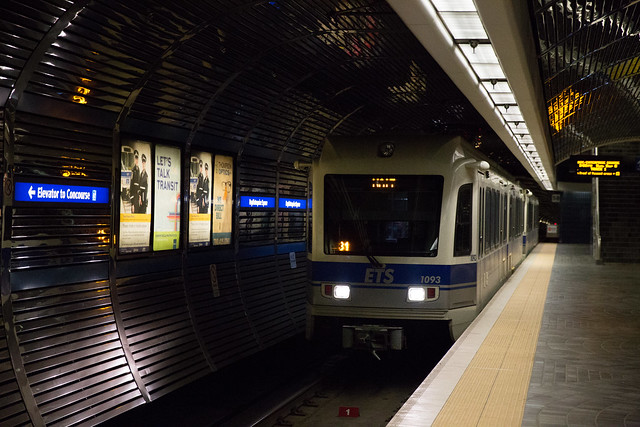
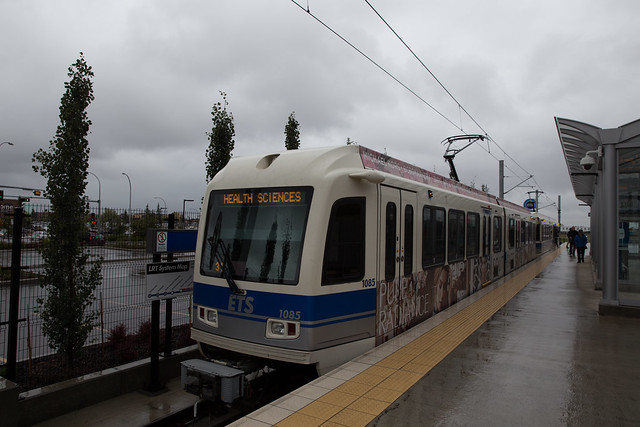
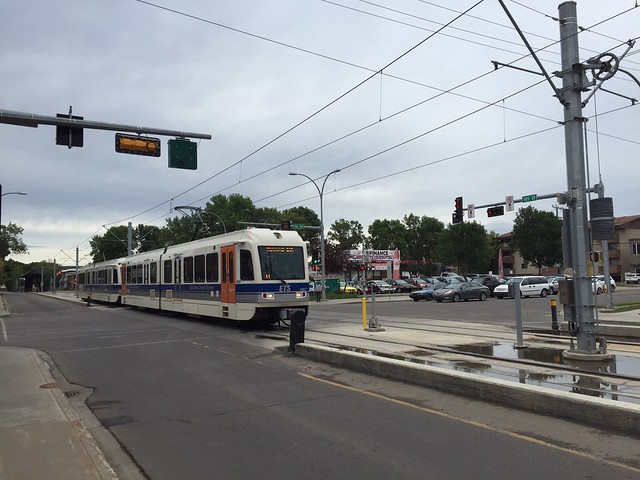
Train to NAIT leaves MacEwan Station

The Metro Line features three new stations: MacEwan, Kingsway/Royal Alex, and NAIT. The extension is expected to add 13,200 weekday riders to the system, and ETS says it has “capacity for considerable growth” once the line eventually extends into St. Albert.

The service that launched today isn’t exactly what was planned, of course. The line has been repeatedly delayed, ostensibly due to issues with the signalling system. The Metro Line was planned to open in April 2014, but here we are in September 2015 with what the City is calling a “staged approach” to bringing it into service. Here’s what that means:

  • Metro Line trains will run every 15 minutes between Century Park and NAIT.
  • They will also occasionally run between Health Sciences/Jubilee and NAIT (weekdays after 10pm, Saturdays after 7pm, and all day Sundays).
  • Every third train running between Churchill and Century Park will be a three-car Metro Line train (most of the time).
  • Trains are operating with “line of sight” which restricts the speed of trains between MacEwan and NAIT to 25 km/h, half the planned speed.
  • This means travel time between Churchill Station and NAIT is approximately 14 minutes.

Sharon and I decided to check out the new extension this afternoon, starting our journey from our home station at Bay/Enterprise Square. It’s been chilly and raining all day (and still is as I write this) but that didn’t stop us!

Bay/Enterprise Square LRT Station

The Metro Line was designed to operate between NAIT and the existing Health Sciences Station, so both the Metro Line and Capital Line share the stations in between (and actually will share stations all the way to Century Park as part of this interim service). That means you need to pay attention to the destination of the train you’re boarding.

Edmonton LRT
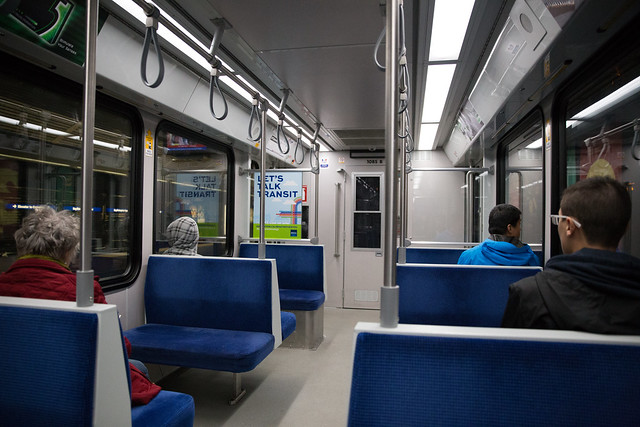
On the train!

Though there are clear announcements, this is going to be an issue for new riders. As our train was leaving Churchill Station, another announcement was made and a couple in front of us realized they had gotten on the wrong line. I expect this’ll happen quite a bit over the next few weeks.

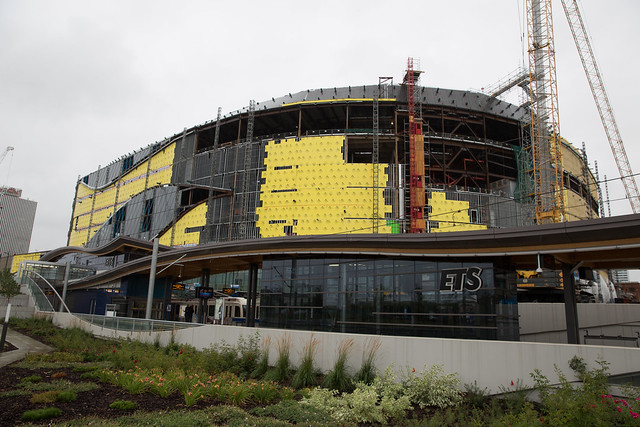
It’s just a few moments after the track returns above ground that you arrive at MacEwan Station. I would not be surprised at all if it is renamed MacEwan/Rogers Place at some point in the future. The new arena is such a major part of the station that it almost seems inappropriate that it’s not reflected in the name!

MacEwan LRT Station
MacEwan LRT Station

This station we had previously explored as it’s just a short walk from home. Thinking about it now, it would have been much faster to walk and catch the train there than waiting for a Metro Line train to take us from Bay/Enterprise Square.

MacEwan LRT Station
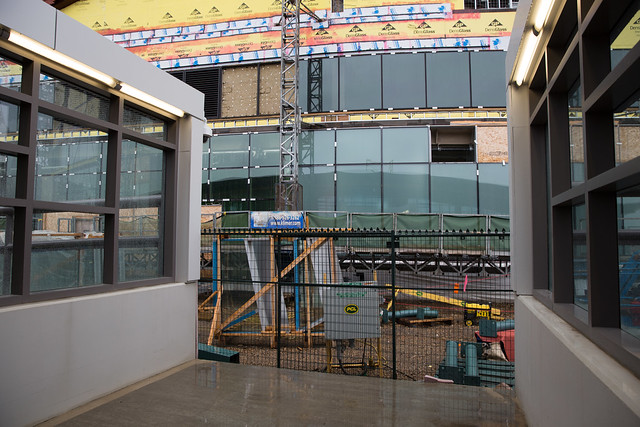
Future walkway to Rogers Place (and 104 Street) from MacEwan Station

MacEwan Station is just a short walk across 105 Street to MacEwan University. The landscaping and park around the station is quite attractive, though it can be a little confusing at first where to enter and exit the platform (at least from the west side).

MacEwan LRT Station
MacEwan Station

Upon leaving MacEwan Station you immediately notice the reduced speed of the train. It feels comically slow at times. Still, riding the train to NAIT or Kingsway is certainly convenient, even if it takes a few minutes longer than expected.

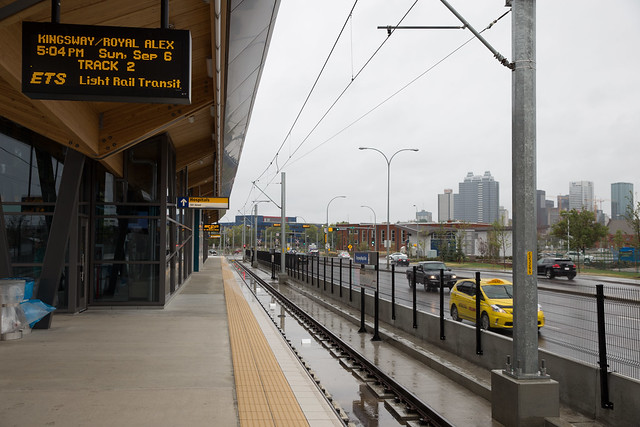
Kingsway/Royal Alex LRT Station

Aside from being close to the Royal Alexandra Hospital, the Kingsway/Royal Alex station is also adjacent to the relatively new bus terminal. If you’re a transit rider, the new station is going to be great. If you’re a driver though, be prepared to wait.

Kingsway/Royal Alex LRT Station

The longest wait seemed to be for cars turning east onto 111 Avenue from 106 Street. There wasn’t much traffic today, so the waits probably weren’t too bad, but during rush hour I could see a 10 minute or longer wait being very realistic. The rumor flying around this weekend is that waits will last 16 minutes or more, but the City says this won’t be the case. “To be clear — the City does not expect the Metro Line to cause 16 minute traffic delays at these intersections all the time,” they wrote.

Kingsway/Royal Alex LRT Station
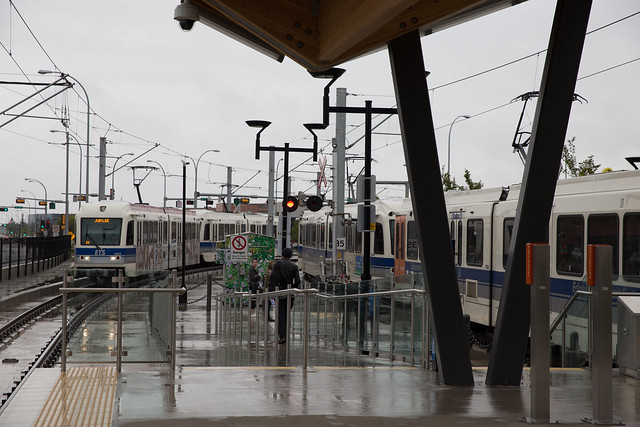
Trains pass each other at Kingsway/Royal Alex Station

I really like the design of the station, with its enclosed, heated waiting areas and very attractive wood features. Oddly though, it’s probably faster to walk to Kingsway Mall from NAIT Station than it is from Kingsway/Royal Alex Station. That’s because you have to cross two roads to get to Kingsway Mall, not to mention waiting for trains to go by (which are slower than normal, remember). So this will probably be the station I use least, unless I need to make a bus transfer.

NAIT LRT Station

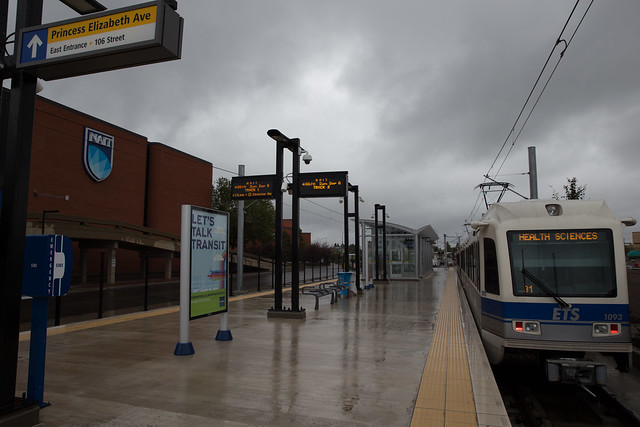
Once the train very slowly makes its way up 106 Street and across Princess Elizabeth Avenue, you arrive at NAIT Station. This is going to be a big win for students and means that all of our major education institutions are now more or less connected via LRT (with NorQuest getting even better connectivity when the Valley Line LRT opens).

NAIT LRT Station
NAIT Station with Kingsway Mall to the left

As mentioned it’s just a short walk across Princess Elizabeth Avenue to the Sears side of Kingsway Mall. Unfortunately the sidewalk ends almost as soon as you get to the south side of the street, and you’re left dodging vehicles racing in and out of the parkade. That’s one improvement that could definitely be made.

NAIT LRT Station
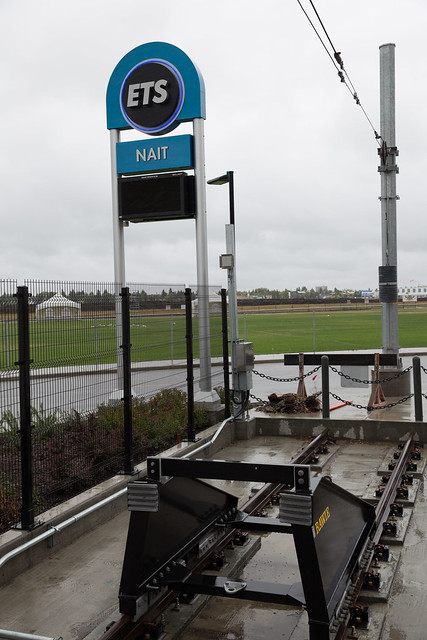
The current end of the line at NAIT

NAIT Station is currently the end of the line, but if you look northwest you can see what will eventually become Blatchford (which will have its own LRT station).

At NAIT Station
Selfie at NAIT Station!

Even though this “staged approach” is not ideal, it’s very exciting to have the Metro Line open at long last. Our experience today was very positive, but the real test will come Tuesday morning as students are back to school and everyone else is back to work. You can learn more about the Metro Line opening at the Transforming Edmonton blog.

Lincoln Ho of Yegventures rode the very first train this morning – watch his YouTube feed for the video. You can see more photos from our trip today here.

Who or what is to blame for Edmonton’s Metro Line LRT delays?

Why was the Metro Line LRT delayed and when will it become fully operational as designed and intended? We still don’t know the answer to the latter question, but the reasons for the delay have become more clear thanks to the latest report from the City Auditor.

Metro Line LRT
A train! On the Metro Line!

The Auditor’s report found that project management roles and responsibilities were not clearly defined or understood, opening dates targeted were unrealistic, status reports were not written down or communicated effectively, contract management practices were inadequate, and Council was not sufficiently kept informed. Incredibly, “Council did not receive formal updates on project progress until December 2013 when construction was supposed to be complete.” The report makes three recommendations, all of which Administration has accepted.

The Metro Line is a hot topic in Edmonton right now, and Edmontonians are not happy about it. Lots of folks are looking for someone to blame, and for good reason – the project is more than year behind schedule and we still don’t know when it’ll be “done done” as opposed to “done but”. And while I think holding Administration accountable is going to be a critical part of restoring public confidence in the City’s ability to manage large projects, what’s less clear is who that blame should fall upon.

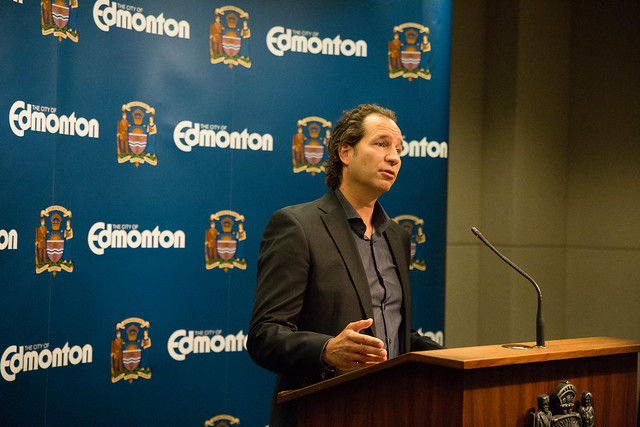
Dorian Wandzura
Dorian Wandzura

Dorian Wandzura started as the GM of Transportation Services on September 3, 2013. He took over from Bob Boutilier, who retired from the role on July 31, 2013. Formerly a deputy GM with the Toronto Transit Commission, Boutilier was credited with getting “80% of Edmonton’s long term Light Rail Transit network has been designed, planned or constructed” during his tenure. He may now also be credited with leaving the Metro Line project in a state of disarray. While Wandzura has made some mistakes along the way, it’s pretty clear now that he inherited a mess. And not just one actually, as he’s also having to deal with the Walterdale Bridge and 102 Avenue Bridge delays, among other projects.

Bob Boutilier
Bob Boutilier

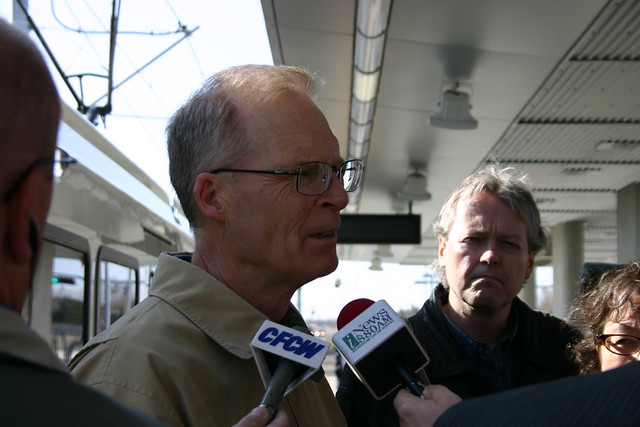
What about Charles Stolte, the former GM of ETS who was fired in June? It’s not clear exactly why Wandzura let him go, but there’s some suggestion it was because of philosophical differences rather than as a result of delays to the Metro Line. He would no doubt have been involved in the signalling work, but it’s unlikely that he was primarily responsible for the debacle.

ETS Execs
Charles Stolte, right

Then there’s Wayne Mandryk, who has been in charge of LRT Design and Construction since 2008. Until the last major city reorganization in June 2011, his branch was part of a separate department known was Capital Construction. Since then it has been part of Transportation Services. The branch “manages contracts for design and construction, identifies and evaluates project delivery strategies, and coordinates construction with other city departments and utilities.” Until the spring, it was most often Mandryk that handled public communications about the Metro Line. Now Wandzura has been handling that himself. But it doesn’t appear that switch has anything to do with confidence in Mandryk as he’s currently filling Stolte’s role as well until a replacement is found.

Wayne Mandryk
Wayne Mandryk

The Auditor’s report seems to place quite a bit of blame on both Boutilier and Mandryk:

“Schedule risks emerged as planning and procurement activities progressed. However, we found no formal documentation from LRT Design and Construction to the Transportation Services General Manager advising him of emerging issues and potential delays. We were advised by LRT Design and Construction that the culture at the time was to provide verbal rather than written reports.”

Mandryk’s department didn’t provide written reports when they should have but Boutilier would have been most responsible for allowing a culture of verbal updates to flourish.

Simon Farbrother
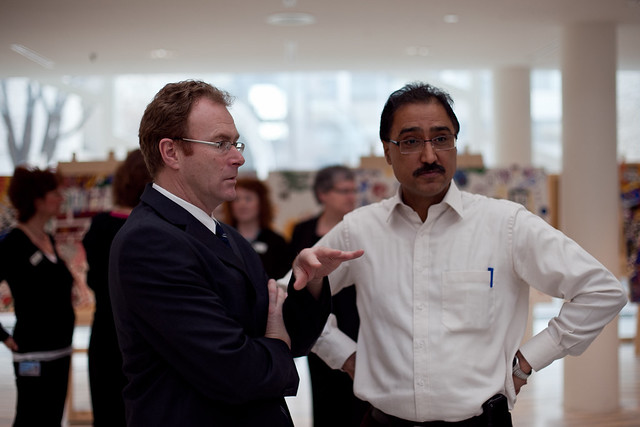
City Manager Simon Farbrother with Councillor Amarjeet Sohi

So up we go, to the top. City Manager Simon Farbrother started at the City of Edmonton in January 2010. That’s after the Concept Plan for the Metro Line was approved, but before the contracts were awarded and long before work began. Certainly he’s going to have to answer some difficult questions from Council next week, and I expect he’ll be ready to make some changes, but it’s hard to find fault with Farbrother in this case. Throughout his first five years with the City, a key initiative of Farbrother’s has been changing the culture. He’s led a transformation that has made the City more open, creative, and aspirational. Additionally, Boutilier had already been in charge of Transportation for three years by the time Farbrother joined, and so far hiring Wandzura seems to have been a smart move.

Still, the comment Councillor Andrew Knack made this week suggests Farbrother could have done more:

“For such a major city project, there should be a desire for those in the highest (positions), especially if they haven’t heard anything, to get a status update. That’s the discouraging part.”

He’s right. It seems perfectly reasonable to expect the folks in charge to ask for updates. Except that Council doesn’t seem to have asked for updates either, at least not in an official, there’s-a-paper-trail capacity. There were about ten agenda items from mid-2011 through until mid 2013 related to the NAIT LRT, and none of them were about project status.

Mayor Iveson wrote on Monday:

“Not only were the city’s senior managers seemingly out of the loop when contractor performance started to slip in 2011, but City Council was left totally in the dark until late 2013 – which made it all the more difficult for us to hold staff accountable and explain to the public what was going on.”

All of this begs the question, what the heck happened between 2011 and 2013? Why were senior managers and Council so out of the loop on the Metro Line LRT?

Well, there was one thing that pretty much consumed Council and CLT’s attention during that same period of time: the downtown arena.

New Edmonton Arena Construction
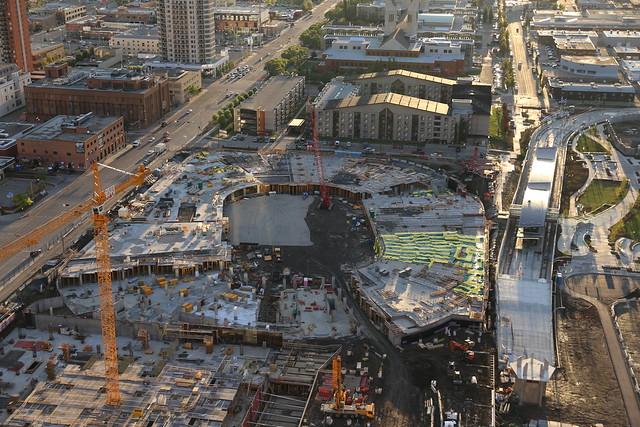
Rogers Place rises next to MacEwan LRT Station on the Metro Line

Think about it. The arena debate dominated attention across the city throughout 2011 and 2012. It also included a lot of secret, private meetings between Administration, the Katz Group, and City Council, which plenty of people picked up on and criticized, myself included. That could have contributed to the culture of verbal reporting.

Here’s the timeline:

Most other attention-hogging projects were done by the time problems with Metro Line project started. The Quesnell Bridge expansion was completed in September 2011 and the 23 Avenue Interchange opened the following month. The winter of 2012/2013 was a particularly bad one for potholes and that did attract a lot of attention and criticism, but we have potholes every year.

I’m not saying the downtown arena project is to blame for the Metro Line delays. Correlation does not imply causation, of course. And that project is currently on time and budget because of solid project management, and I don’t want to take anything away from that. But the timeline above fits together just a little too well, doesn’t it?

As Paula Simons wrote in her column on the auditor’s report, “there’s no smoking gun in this audit – just smoke and murk.” There are also a lot of assumptions being made in trying to explain the delays – the splitting of the contracts, the inadequate project management practices, Thales missing deadlines. Maybe the simplest answer is the right one: the City and Council were distracted.

My slightly more complicated take? The arena distraction didn’t help but the biggest issue was that the culture of Transportation Services needed to change, which is happening now that Boutilier is gone and Wandzura is in.

We’ll find out more on Monday afternoon as Council discusses the auditor’s report.

10 days with Windows 10

Windows 10 was released on July 29 and I was one of the millions who upgraded my PCs right away. I had been running the preview builds for a few months on a test machine as one of Microsoft’s five million or so Windows Insiders, so I knew more or less what to expect. After running Windows 10 for ten days on my main PCs, I’ve found some things I like and some that I don’t. The upgrade process was smooth, Cortana and Continuum are great new features, but Edge is disappointing and OneDrive integration could be improved. Here are my thoughts.

windows 10 hero
This is the new Windows 10 hero image, which you can learn more about here

Upgrading

If you’re running Windows 7 or Windows 8 and have all the latest service packs installed, you can upgrade to Windows 10 for free until July 29, 2016. So should you upgrade and if so, when?

I don’t think there’s any compelling reason to stay on Windows 7 or 8. The design philosophy for Windows 10 seems to have been to combine the best of both its predecessors and for the most part, I think they have succeeded. If you avoided Windows 8 because it took away the Start Menu, you’ll be happy to hear it has returned for Windows 10. And likewise if you enjoyed the touch features of Windows 8, I think you’ll find the approach that Windows 10 takes is familiar, if a little incomplete. Users of both Windows 7 and Windows 8 should feel right at home in Windows 10. It’s new, but it’s still Windows.

If you reserved your upgrade then it’s probably best to wait until you’re notified that the upgrade is ready. That way you can be sure that drivers and other aspects of your computer will continue working properly after the upgrade. If you’re a little more adventurous, you can of course go ahead and upgrade now using this tool.

I got the notification to upgrade right away on one of my PCs and of course went about manually upgrading the rest of them. The only problem I ran into was on my Surface Pro 3, because I had VPN software installed. The good news is that it takes just a couple of clicks and a few minutes to go back to your previous OS, which I ended up doing a few times while troubleshooting. It’s incredibly comforting to know that you can revert back to exactly the way things were before if the upgrade doesn’t go well.

Windows Central has a solid roundup of other upgrade issues you may encounter and how to resolve them.

You should note that not all Windows 7 PCs will be upgradable to Windows 10. They still need to meet the minimum requirements. I tried to upgrade my old Toshiba Portege M200 for example, but of course it didn’t work because just like Windows 8, the PAE, NX, and SSE2 processor features are required for Windows 10. So if you have really old hardware, don’t be surprised if it won’t upgrade. Anything in the last five years should be fine though.

Start

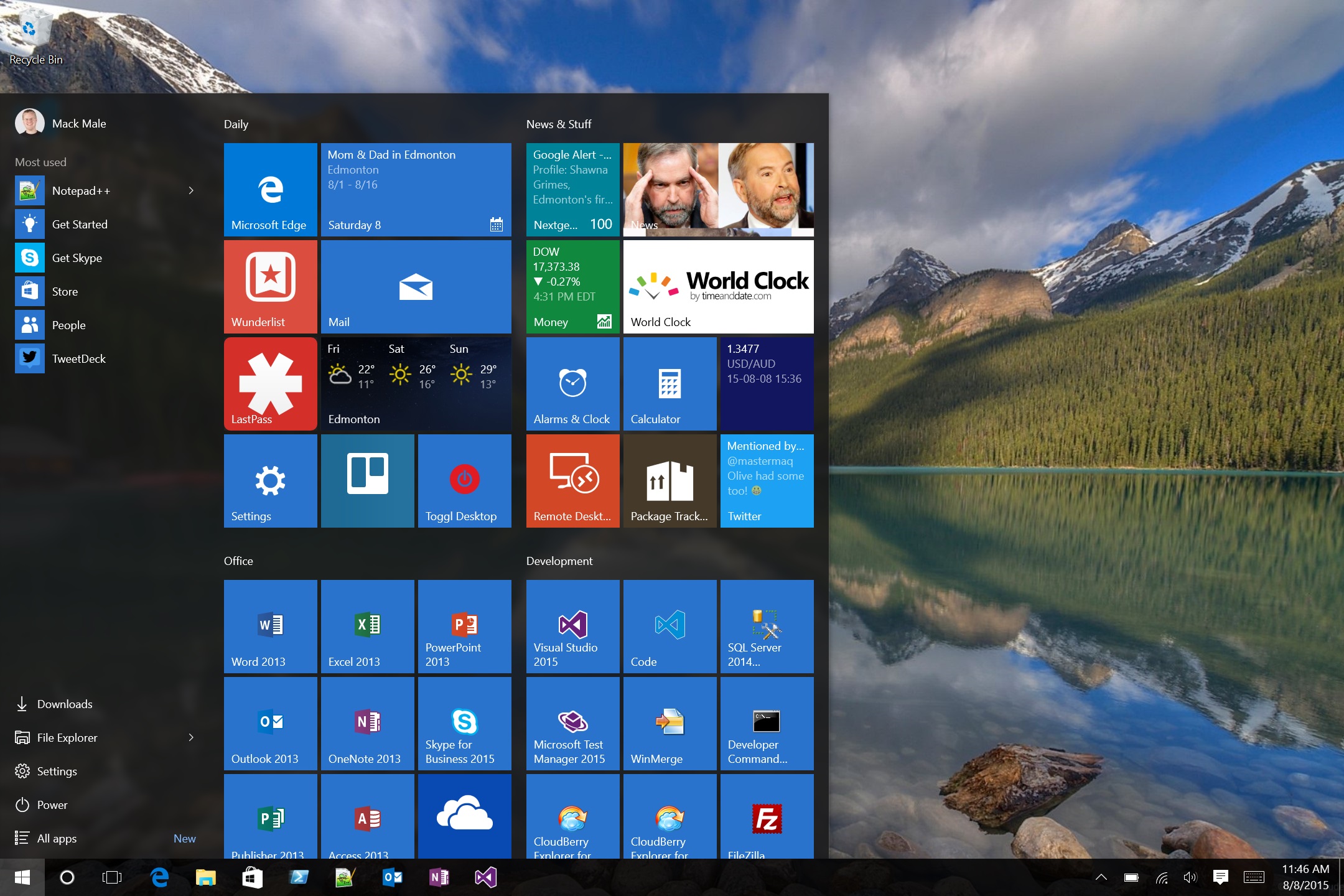
As mentioned, the start menu is back in Windows 10. When you turn your PC on, you’re presented with your desktop rather than the start screen that appeared in Windows 8.1. And when you click the Start button, you now get a more or less familiar looking menu. There’s “all apps” from Windows 7 and also tiles from Windows 8. You can resize the start menu to be skinny like Windows 7 or to take up more of the screen, similar to Windows 8.

start menu
My start menu right now

I like the live tiles, so I have made the start menu on my desktop PC three groups wide. On my Surfaces, where there is less space available, I’ve shrunk this down. If you had groups of live tiles in Windows 8.1 those will be combined into a single group in Windows 10, so you need to reorganize them again. It’s annoying but only takes a few minutes.

My main complaint about the new start menu is the wasted space on the left. It doesn’t seem like “Most used” is actually accurate and there’s an awful lot of blank space between that and the primary commands at the bottom (because I have resized the menu to be taller). It feels like the perfect spot to let me pin a few more things. I wish the tiles for desktop apps looked better too.

On the plus side, opening apps is done the same way it has been since Windows 7: simply press the Windows key, start typing, and hit enter.

Tablet Mode (Continuum)

Windows 7 worked on touch-enabled devices, but it was horrible to use because everything was designed for mouse users. Windows 8 focused on making the touch experience great, but many feel that negatively impacted mouse and keyboard usability. Windows 10 tries to find the middle ground.

The new thing is called Tablet Mode, or Continuum as it also known. If you’re on a touch-enabled device, you can turn on Tablet Mode which expands the start menu to take up the entire screen (kind of like on Windows 8.1), opens apps in full screen mode, and adds a handy back button to the taskbar. When you swipe in from the left, you get the new Task View, which lets you pick from the running apps. And of course the on-screen keyboard pops up as appropriate in this mode. The other big change is that you can swipe an app down from the top to close it, just as you did with Metro apps on Windows 8.

tablet mode
Same start menu, but in Tablet Mode

On devices like the Surface that have a detachable keyboard, you’re prompted to switch in and out of Tablet Mode when you disconnect or reconnect the keyboard. By default Windows will ask you every time but you can tell it to remember your selection too.

You can see a video of how this works here.

After using Tablet Mode for a while, I’m finding I like it a lot more than I thought I would. It’s a really great experience on my Surface Pro 3 and I don’t mind the prompt to switch modes at all. The marketing speak is that it “puts you in control” but I’m finding that to be true, sometimes I want one mode and sometimes I want the other mode and I get to pick when.

Cortana

One of the compelling new features of Windows 10 is Cortana. I’ve been using Cortana on my Windows Phone for a while now and was eagerly awaiting a version on my PCs. Unfortunately Cortana is not yet available in Canada, though Microsoft has promised that’ll happen before the end of the year. If you want to use Cortana now, you can change your region to be the US instead of Canada. The only downside I have found to this is that the Calendar app will display temperatures in Fahrenheit instead of Celsius (the Weather app let’s you choose and the News app still lets you pick Canada as your region).

I’m a big fan of Cortana and the Windows 10 implementation is off to a great start. You can enable an active listening mode so that simply saying “hey Cortana” engages the assistant, or you can simply click the button. Cortana will surface your calendar, news related to your interests, weather, stock prices, and much more. I’ve found the speech recognition to be surprisingly good and am thrilled that Cortana does an increasingly useful list of things, like converting measurements. For anything else, you’ll get kicked out to Bing.

cortana
Cortana telling me about Edmonton and Microsoft

Probably the most useful aspect of Cortana is reminders. You can set reminders by time, place, or person (“remind me to tell Mike congrats when I speak to him next”). It’s very handy to be able to quickly ask Cortana to remind me about something. Unfortunately, reminders don’t currently sync from Windows 10 to Windows Phone 8.1, but that problem will go away as soon as Windows 10 Mobile is released in the fall.

I really like the direction Microsoft is going with Cortana.

OneDrive

One of the biggest differences between Windows 8.1 and Windows 10 is in how OneDrive is handled. In 8.1 we had placeholder files, so you could open up your OneDrive folder and see all of the files there even though they weren’t actually there. If you tried to open one, Windows would magically download the file then launch the correct application. It was pretty handy, because on devices with limited disk space you could see everything without wasting gigabytes of space.

Well in Windows 10 none of that works. Now you have to select which folders you want to sync, and after you’re done choosing, OneDrive does a more traditional sync where the files actually exist on disk. But if you have folders you haven’t chosen to sync, you won’t see those unless you go to OneDrive on the web as there’s no longer a OneDrive app either.

For the most part, this hasn’t bothered me too much. There are some folders that I use all the time so I set them to sync, and others that I use almost exclusively as cloud storage, so I don’t need those on my PCs. Depending on how you have your files organized, this may or may not be an issue. I hope there are improvements on the way though, because it would be nice to have an app again to manage all my files without necessarily syncing them.

The other point to make here is that if you use Office, the placeholders were always unnecessary and so your experience in Windows 10 shouldn’t change much. You can simply open Word, Excel, or PowerPoint and choose your OneDrive files from there without syncing. Same goes for OneNote, it loads your notebooks from OneDrive automatically.

Microsoft Edge

While Windows 10 does ship with Internet Explorer 11, the default browser is a new one called Edge. In theory it is a faster, slimmer, more compliant browser without all of the legacy cruft that IE carried. And while it is those things, it lacks key features right now that make it feel like a step backward in many ways.

edge
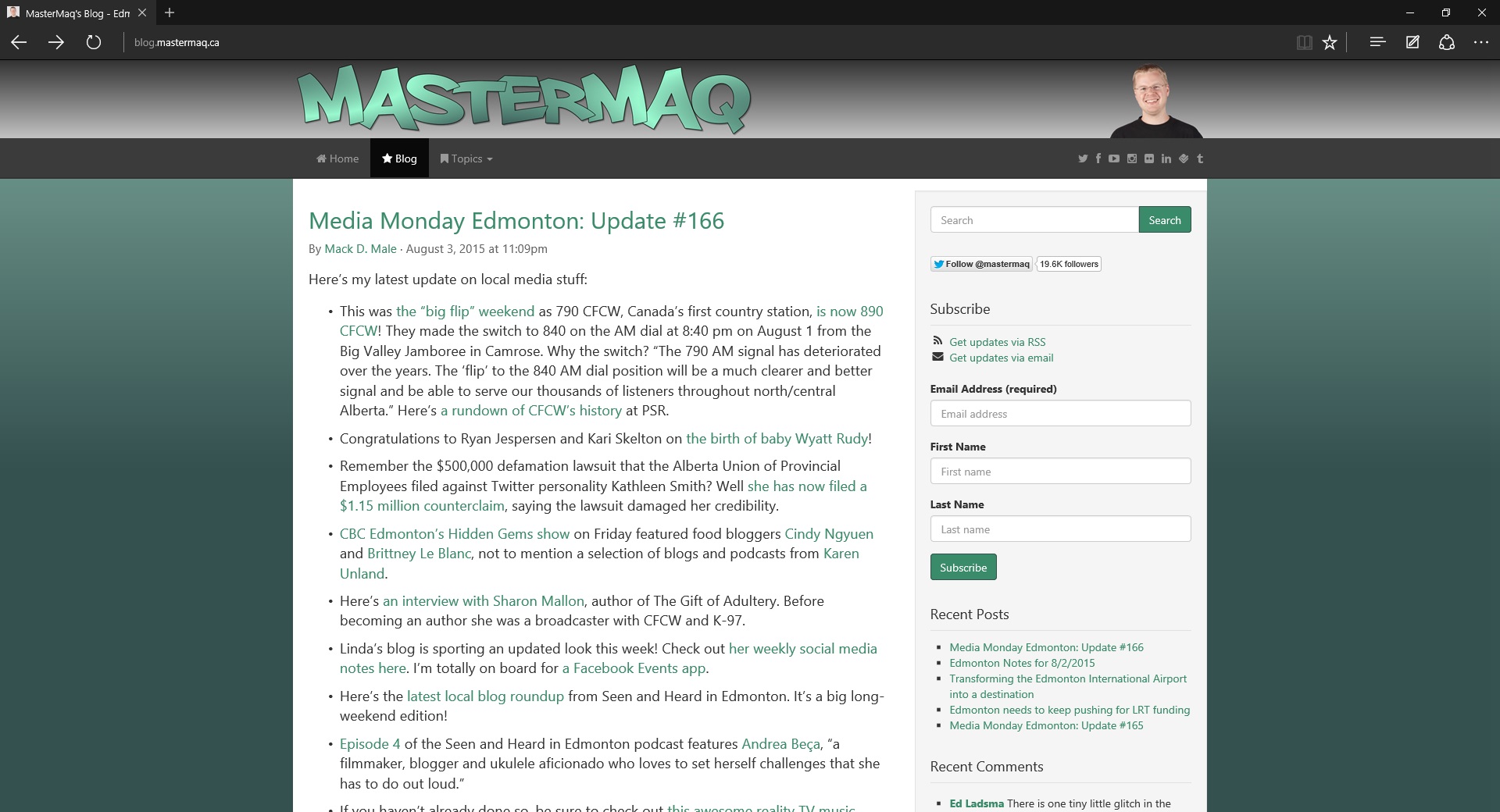
My blog in Edge

Let’s start with the things I like. The minimalist interface is great, and I love that there’s an option for a dark theme. I like the integrated reading mode and reading list features. The ability to draw all over a web page and send it to others is also extremely handy as a Surface Pro 3 user. I’m also optimistic about Cortana integration. And…that’s about it. Yes, it renders web pages correctly. But that’s its primary and most important job so I don’t count that as a positive.

There are many, many issues with Edge right now. Simple things like the fact that it won’t remember window locations (so if I open it up, move it to my second monitor, close it, and then open it again, it appears back on my first monitor). More significant things like the fact that back and forward gestures are gone from touch devices, something that made Metro IE a joy to use. Favorites do not sync between PCs like they did with IE. When loading pages in many cases scrolling doesn’t work until the entire page has loaded, which makes it feel frozen or slow. There’s no ability to choose where to save a download, nor is there a proper download manager that will continue when the browser is closed. Actually you can’t even choose whether or not to start a download, if you click a link to a file it just downloads it. You can’t hold the back button down to access recent history. There are no jumplist options, so you can’t right-click on the taskbar icon and start an InPrivate window, for instance. The list goes on, as you’ll see in the Windows Feedback app. Edge is half-baked at best.

I want to like Edge, but it’s just not there yet. Hopefully some of these shortcomings are addressed in an upcoming update. And I know Microsoft has already said that some features would be coming in the fall, like support for extensions. I’m using it day-to-day for now, but if it doesn’t improve quickly I may have to switch.

Also: I think it’s pretty ridiculous how many “reviews” of Edge I have seen that are positive, apparently just because the reviewer has some hate for IE. Have you actually used IE11? It’s a good browser.

Other things I like

  • Dark theme. I like that Windows 10 by default has a dark look to it, and I hope that this is expanded on in the future. You can of course change the color to suit your mood.
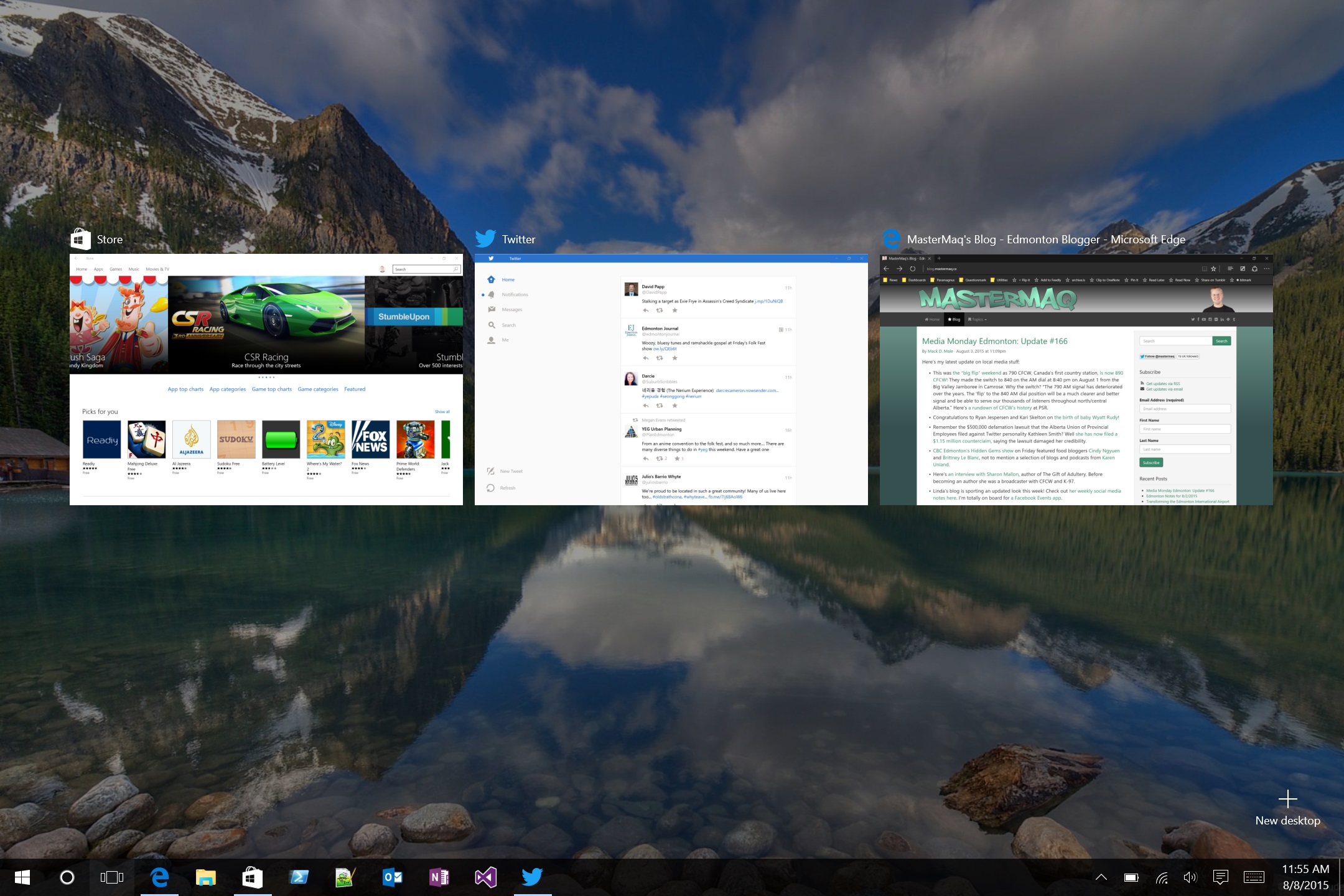
  • Task View (WIN+TAB) I know that OS X users won’t be impressed as they’ve had Mission Control (Expose) for a while now, but the new Task View is fantastic. You can still Alt-Tab of course to get to your apps as you always have, but Task View is critical for touch devices and works well.
  • Multiple desktops. I guess this is a bit of a power user feature, but having the ability to turn on multiple desktops baked into Windows is a win. I can keep my email, notes, and other productivity stuff on one desktop and my development apps on another. You can switch between them using Task View, or by pressing WIN+CRTL+(RIGHT/LEFT).
  • Feedback app. Have a problem? Don’t like something? Fire up the Windows Feedback app and see if someone has already reported it. You can upvote things or you can submit your own feedback. Hopefully Microsoft acts on all this feedback quickly.
  • Groove Music. It’s basically the same as the old Xbox Music app, but with a new name (which I like) that hopefully means it can stand on its own (this is a good sign).

task view
Task View is pretty great

Other things I don’t like

  • Too much white. There’s no contrast anymore! File Explorer is blindingly white for instance, and most Win32 apps now have all-white title bars and menu structures. Some color would be much appreciated.
  • Lack of features in Mail. It’s inexcusable that with an apparent focus on keyboard and mouse users, the Mail app in Windows 10 doesn’t let you select multiple messages using CRTL+SHIFT+ARROW like pretty much every other app in history does. There’s a long list of other limitations too (switching between accounts feels half-baked, for instance). Outlook, it is not.
  • Battery life. I haven’t measured it, but anecdotally the battery life on my Surface Pro 3 seems to be maybe slightly less than it was with Windows 8.1. But on my original Surface Pro, it’s abysmal. There’s definitely room for improvement.
  • Volume mixer still needs work. I was really hoping for change here, but no such luck. Some apps have individual volume controls, but others (like Songza) do not. It’s annoying. I want better control over this!
  • Minor bugs. There are still little annoying bugs all over the place. On my desktop, choosing what apps to show on the lock screen doesn’t work. On my Surface, the Mail live tile never seems to update. Once or twice in tablet mode Windows has seemed to get stuck in right-click mode, requiring a logoff to fix. That kind of thing. If you’re concerned, wait til the fall when I’m sure these and other issues will have been largely addressed.

Xbox, Phone, and beyond

Windows 10 is not just a desktop OS, it will also run on a variety of other devices. The user interfaces may look different, but the core is the same as are the services that run atop the OS. By the end of the year, Windows 10 variants will be released for the Xbox One and for Windows Phone devices. I’m very much looking forward to Cortana on my Xbox, not to mention an update to my Lumia to better align it with my PC.

Yes I have a slight bias toward Microsoft products, but Windows 10 has still impressed me, and it’s only going to get better from here. I absolutely think you should upgrade!

Transforming the Edmonton International Airport into a destination

When was the last time you lingered – by choice – at the Edmonton International Airport? In the future, you might.

New EIA Air Traffic Control Tower

Earlier this month I attended a tour of the Edmonton International Airport called Taste of EIA with Sharon and Rebecca. We spent the evening eating, sampling some of what the airport has to offer passengers who aren’t rushing to catch their flight. If you’re more interested in hearing about the food, be sure to check out their posts. I’ll touch on it, but I’m going to focus more on how Taste of EIA fits into the bigger strategy for the airport.

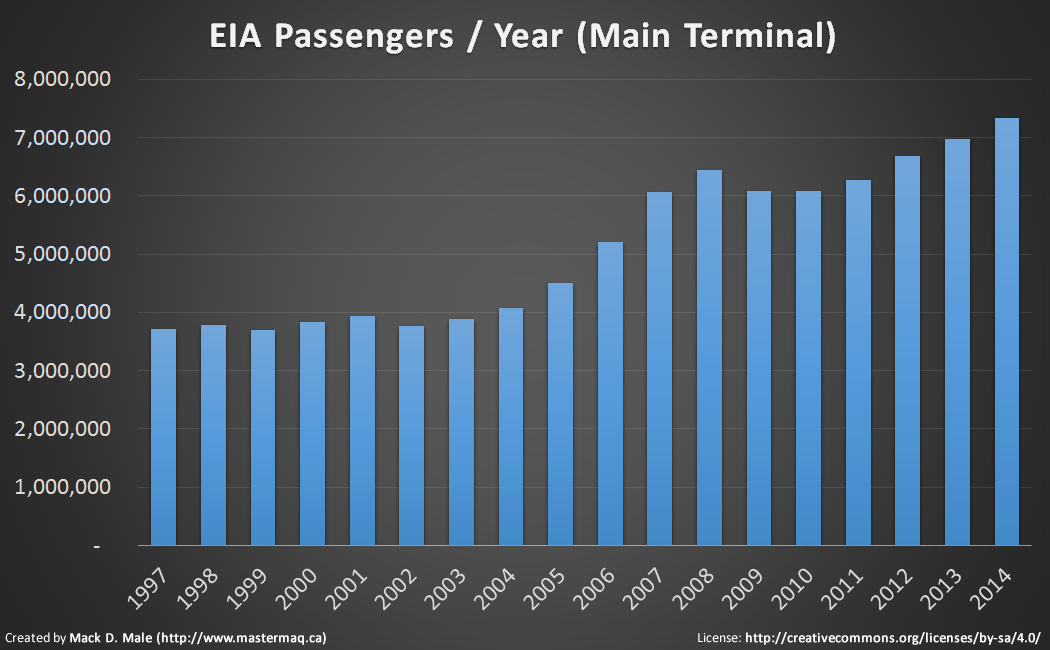
EIA has set an “ambitious goal” of reaching 12 million passengers by 2020, according to its 2015-2020 Strategic Plan (PDF). That is ahead of third party projections of 11 million, but seems achievable if recent increases continue (as of June, numbers for 2015 are slightly behind the same time last year).

EIA Passenger Statistics
Stats via EIA, and do not count fixed base operators (FBO) passengers

You might be tempted to compare EIA to YYC, which surpassed 12 million passengers back in 2007. And while passenger traffic at EIA has been growing quickly, so is passenger traffic in Calgary. It seems unlikely that EIA is going to surpass or even compete with YYC anytime soon, so the strategy needs to be different.

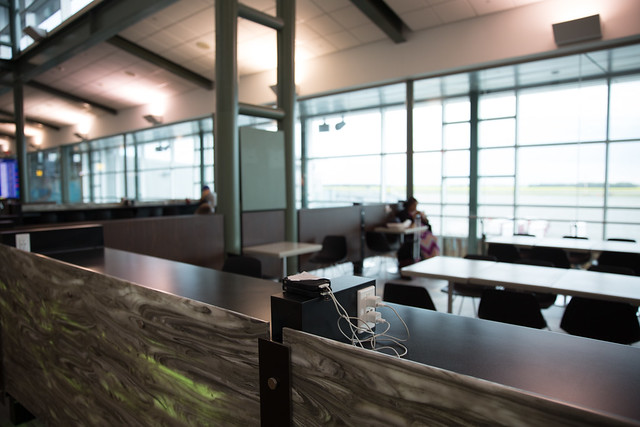
EIA wants to become a destination, by focusing on passengers, creating exceptional customer experiences, and by developing non-aeronautical initiatives. You can see the building blocks coming together to make that happen. There’s the Renaissance Hotel at EIA so you can stay at the airport. There’s “over 60 shops and restaurants” available now to passengers. There’s the extensive parking options to make coming and going easier. And there’s the growing list of services and amenities, like free wi-fi, banking, storage, and plenty of power outlets.

Taste of EIA

So can it work?

I’ll admit I’m the kind of traveler who likes to arrive as close to departure as possible, at least when I’m traveling on my own. I’ve heard my name called for final boarding on a few occasions. My goal is generally to spend as little time as possible in airports – I just want to get in and get out. There have been some exceptions, however. The last time I flew to the US I went early because I knew I could get some work done with free wi-fi, Starbucks, and comfortable seating on the other side of security. I’ve never really thought about going to have a meal first though.

Taste of EIA

On the night we visited for Taste of EIA we ate at three places: Houston Steak & Ribs, Belgian Beer Cafe, and Cookies by George. Definitely the latter is my usual kind of airport stop, a quick coffee and a cookie suit me fine. But if I wanted to linger, I’d consider stopping at Houston, if for no other reason than the view (it looks out on the runways). I didn’t find the food particularly unique, but the sliders were good and came with delicious sweet potato fries. I’d order those again.

Taste of EIA

But will I really choose to go early and eat? I’m not sure. Maybe with Sharon.

I suppose it would help to sign up for EIA Rewards which offers members 25% discounts at the Plaza Premium Lounge and monthly discounts for parking, shopping, and dining. You can also win prizes like free parking or even flights. The program is free to join and is just another way that EIA is working to attract regular patrons to help increase non-aeronautical revenue.

Another way they are hoping to increase revenue is by adopting the “aerotropolis” model of commercial development (just like in Vancouver, Memphis, and Amsterdam).

“EIA is one of two Canadian airports to adopt the ‘aerotropolis’ concept. We are now transforming EIA from an ‘emerging aerotropolis’ to an ‘operational aerotropolis’ through developments such as the Cargo Village and Highway Commercial.”

Think of the aerotropolis model as a mini commercial city, but with the airport as the core. For EIA, it means expansion of the Cargo Village, the development of an office campus, possibly another hotel, light industrial activity, and other retail opportunities. They might even build a pet hotel!

Outlet Collection at Niagara
Walking into Outlet Collection at Niagara

The big project you’ve already heard about is the Highway Commercial, which refers to the proposed, 415,000-square-foot outlet mall that will be built by Ivanhoé Cambridge (the developers behind CrossIron Mills) next to Highway 2. That shopping centre will be serviced by a shuttle from the airport and is slated to open in the fall of 2017. I’m hopeful that it’ll be similar to the Outlet Collection at Niagara in terms of design, with lots of open, outdoor space.

But that’s a future project and of course by being outside the airport it’ll be open to anyone, not just passengers. Still, it could be another reason to spend time and money at EIA. And that’s ultimately what they’re after in the quest to become a destination.

In the meantime, there are plenty of shops and restaurants at EIA for you to experience. If you give yourself the time to do so, of course!
You can see more photos from Taste of EIA here.

Edmonton needs to keep pushing for LRT funding

With major funding announcements over the last few weeks for public transit in Toronto, Ottawa, and Calgary, many Edmontonians are wondering when our election handout will appear. Some are even suggesting that Edmonton is being shortchanged by the federal government when comparing previous funding commitments to the most recent ones. Mayor Iveson tweeted “no worries” and promised that City Council is “not done asking” for more LRT funding.

Einstein's Train
Photo by Mark Iocchelli

Let’s recap the funding announcements

The total cost of Stage 1 of the Valley Line LRT (Mill Woods to Downtown) is about $1.8 billion, with $800 million coming from the City, $600 million coming from the Province, and $400 million coming from the federal government.

The first federal contribution of $250 million from P3 Canada was made back in March 2013. Nearly a year later, the new Building Canada Fund was introduced which is expected to cover the additional $150 million needed from the federal government. Then in March 2014, the Province committed its $600 million contribution to the project. It consists of $250 million in GreenTRIP funding, $200 million in an interest-free loan, and $150 million to match the federal government’s Building Canada contribution.

In April 2015, the federal government unveiled its budget, called Economic Action Plan 2015. The budget included a new Public Transit Fund that would provide $750 million over two years starting in 2017-2018, and $1 billion annually thereafter.

“Large cities in Canada depend on public transit infrastructure to facilitate the mobility of people and goods and support economic development. Strong and efficient public transit networks help get people to their jobs, students to class and all citizens out in their community to see family and friends. Public transit also helps to reduce overall urban congestion, which helps to get goods to markets faster and supports productive and growing cities.”

Further details were released in June:

“In order to be eligible for support under the PTF, projects must have a minimum of $1 billion in total estimated eligible costs. Federal contributions under the fund will be up to one-third of the total eligible costs and will lever the expertise, ingenuity, and financing of the private sector and alternative funding mechanisms.”

They also announced that federal support provided through the P3 Canada Fund “will increase from 25 to 33.3 per cent of eligible project costs on a go forward basis.” This is why some feel that Edmonton is being shortchanged compared to other cities – the funding commitments we received were made before this change took place.

At the same time, Prime Minister Stephen Harper announced that the federal government would contribute one third of the costs of Toronto’s SmartTrack proposal, which equates to about $2.6 billion.

On July 22, the federal government announced a pledge of $1 billion from the new Public Transit Fund for Ottawa’s “Stage 2” plan. Like Edmonton’s plans, the $3 billion project anticipates each level of government covering a third of the cost.

And then most recently, on July 24, a $1.53 billion contribution to Calgary’s $4.6 billion Green Line LRT was announced, also from the new Public Transit Fund, and again covering one third of the total cost.

Public Transit Fund: strings attached

Canadians should be disappointed that it takes an election to prioritize funding for public transit. City Councils across the country have made it clear that public transit infrastructure is critical for dealing with growth and congestion. According to the Canadian Urban Transit Association, $3 of economic activity is generated for every $1 spent on transit. And they say that from 2006 to 2013, public transit ridership increased by 21% in Canada.

Are the Conservatives just trying to buy votes? “The sudden spending announcements across the country merely highlight the total inadequacy of funding for public projects in non-election years,” said Joel French, Director of Communications and Campaigns for Public Interest Alberta, in a statement yesterday. “Rather than reducing our cities to the role of simply hoping for electioneering handouts, we absolutely must fund our urban centres in ways that will allow them to meet the growing needs of city residents in a fair, just and sustainable manner.” Some say it’s this sporadic approach to funding public transit that has caused Canada to fall behind on public transit.

Another concern is that the Public Transit Fund is being administered by P3 Canada. That means that any public transit project funded through the program will need to be a P3, whether it suits the project and context or not. Calgary mayor Naheed Nenshi has previously stated that “the real problem is that the only dedicated federal funding at this moment is through P3 Canada” and felt that a P3 didn’t make sense for Calgary’s transit expansion plans. Evidently that’s no longer the case.

And you can’t blame him – he’s going to take what he can get. Whether we like it or not, the Valley Line LRT extension here in Edmonton will be a P3 project because that’s the only way we could secure the required federal funding.

There’s a lot more LRT left to build

While the Public Transit Fund is a step in the right direction, it’s not the solution to Canada’s transit infrastructure needs. Cities across the country have plans for LRT that will require billions of dollars of investment and they need to be able to plan for that.

South Campus LRT
Photo by Mark Iocchelli

Here in Edmonton, the Valley Line LRT is just one part of the long-term LRT Network Plan which will require significant investment over the next 35 years. A full build-out is going to be required if our population forecasts prove to be accurate, with 2.2 million people living in the Edmonton region by 2044 and daily ridership of nearly 500,000 passengers.

I hope the federal government does top up its contributions to the Valley Line LRT, bringing their portion to the same one-third that other major cities are now getting. But even if they do, we’re not done. We need to keep pushing for stable LRT funding.

Highlights from the 2015 Growth Monitoring Report

The City of Edmonton released its annual Growth Monitoring Report recently, known as Our Growing City. At 90 pages it’s full of information. Here are some things I wanted to highlight!

Upward, Inward, Outward?

growth

The report (and associated infographic) likes to talk about how Edmonton is growing up, in, and out. But is it really?

Several key initiatives demonstrate how this vision guides Edmonton’s growth. The Quarters Downtown, West Rossdale, Blatchford, downtown redevelopment, and Transit Oriented Development are helping our central neighbourhoods and areas along Edmonton’s expanding LRT routes grow “upward.” Ongoing efforts to enable infill opportunities in our mature and established neighbourhoods help the city grow “inward,” and the construction of new neighbourhoods in developing areas enables our city to grow “outward.”

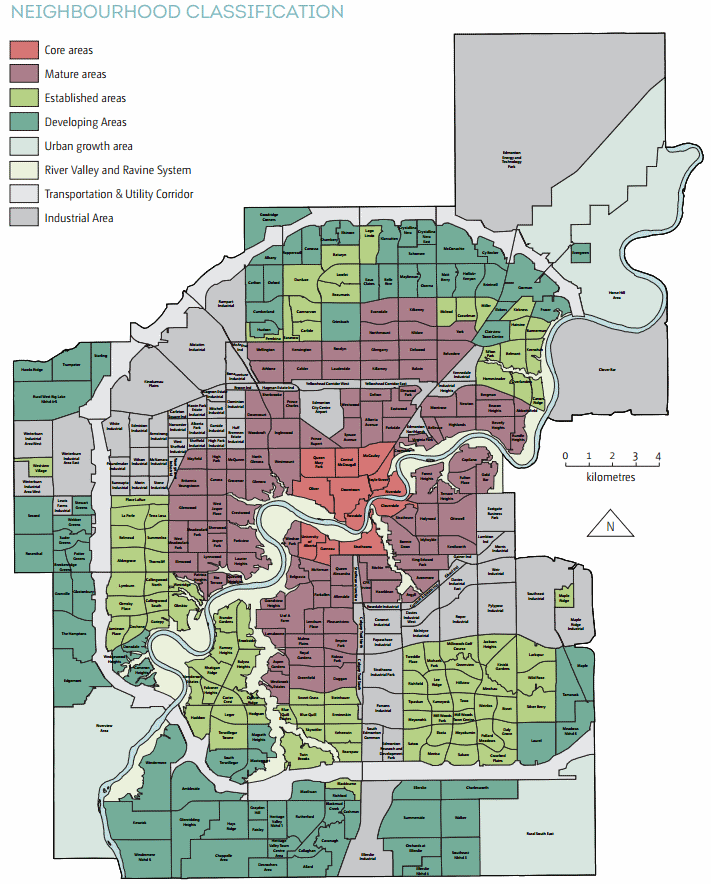
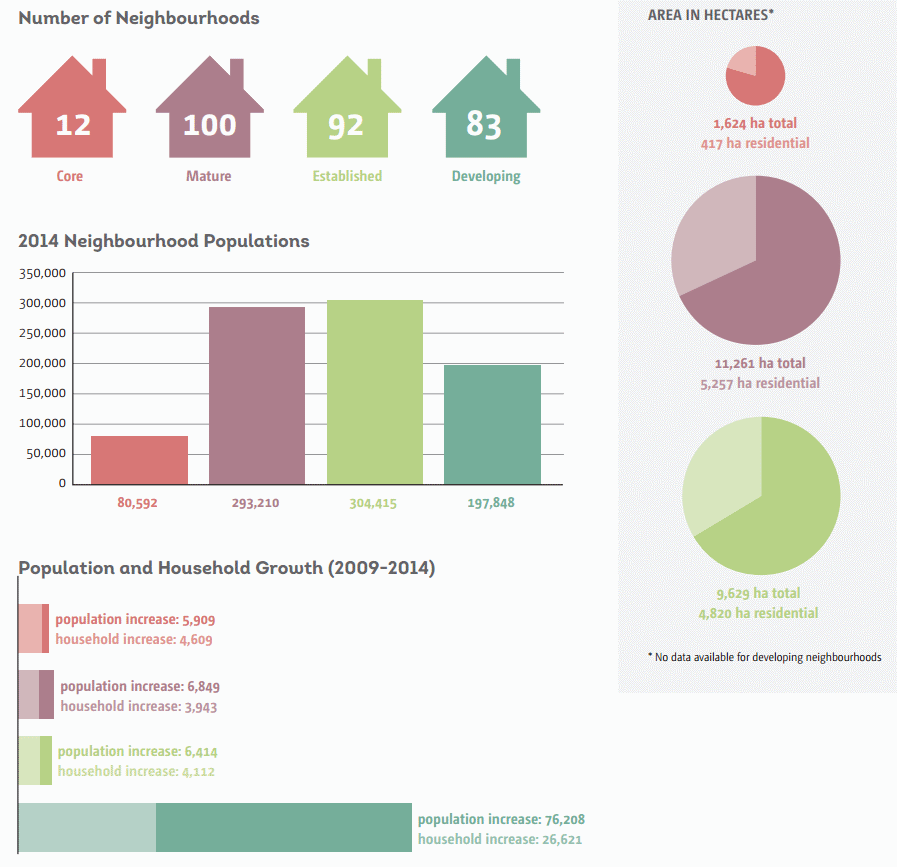
The truth is that developing neighbourhoods, the “outward” part of growth, account for the majority of residential development. The report states that as in 2013, “developing neighbourhoods accounted for 83% of all residential growth” last year. Our city continues to grow out much more quickly than up or in.

You can see the neighbourhood classifications on a map here.

Core neighbourhoods accounted for 8% of all growth in 2014 while mature neighbourhoods accounted for just 6%. “This is an increase of 18% from 2013 unit growth (704 units),” the report says. “It is, however, a relatively low proportion of city-wide growth due to strong increases in newer neighbourhoods.” Established neighourhoods accounted for 3% of all new units.

Nine of the top ten fastest growing neighbourhoods over the last five years are in the south.

The fastest growing are Summerside, The Hamptons, and Windermere.

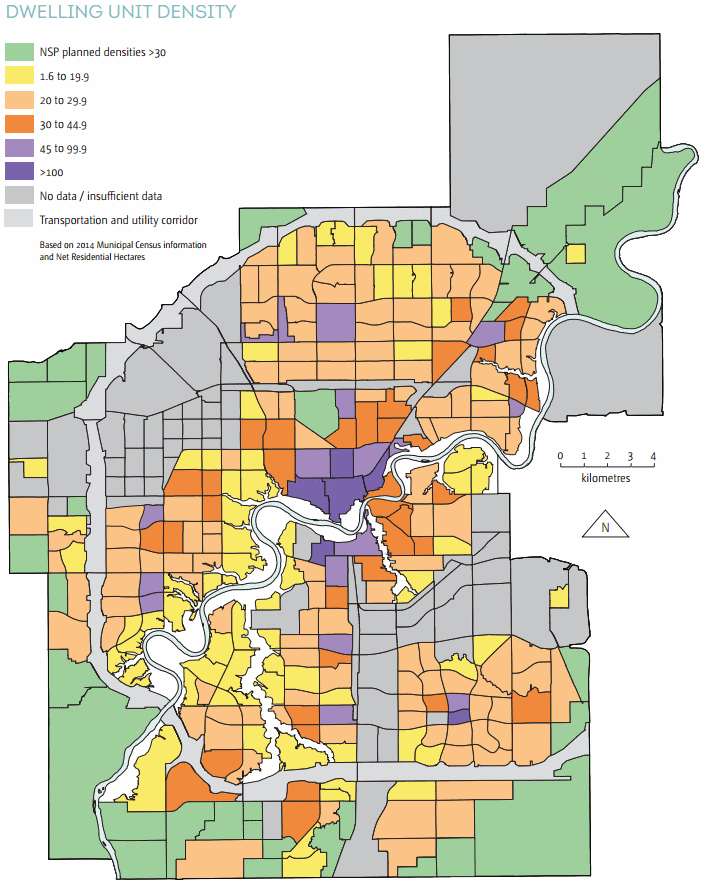
The only potential bright spot here is that recent NSPs tend to plan more dense communities and “contain a more balanced range of dwelling types” than they have in the past. Here’s a look at the density map:

low density residential lot supply by subsector

You can see that the new areas around the edge may actually be more dense than existing communities in mature and established neighbourhoods. If we don’t do anything to increase the density of those areas, that is.

Demographic Shifts

As of June 30, 2014 the Edmonton CMA had 1,328,290 residents, up 3.3% over the same time in 2013. We’re the second fastest growing CMA in the country after Calgary. And we’re comparatively young.

The Edmonton CMA is comparatively much younger than major Canadian city regions with a median age of 36 years.

Most other cities have a media age of 39-40 years. Our city’s largest cohort is 25-39 years of age, followed by the 49-65 age group.

dwelling unit density by neighbourhood

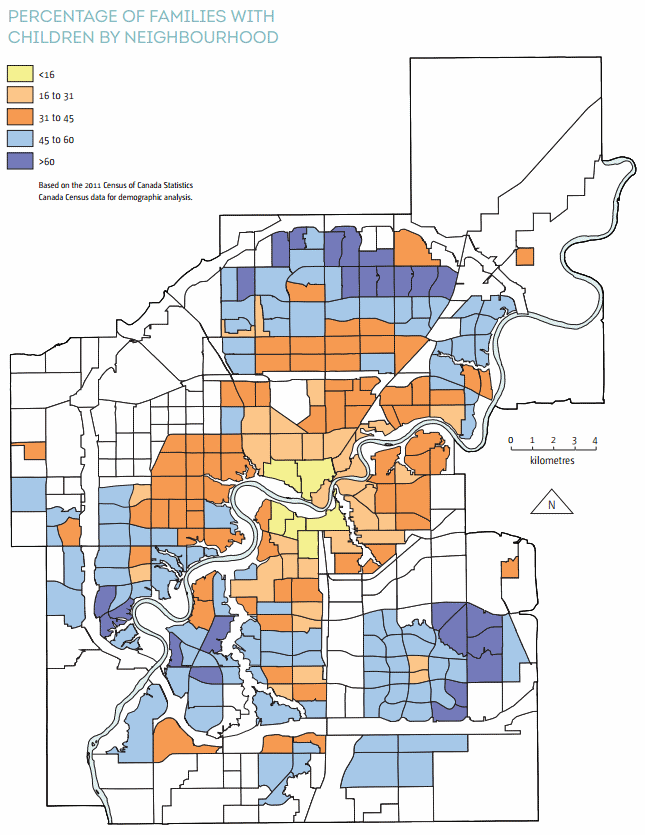
You might think with all of those young people that we’d have more families. And maybe we do, but not in established parts of the city.

A demographic shift is occurring in mature and established areas of the city. The population is ageing and households are decreasing in size. There will be a significant increase in lone person and two person households.

It’s a complicated issue, but ageing in place means that young families are pushed to the developing areas (as shown in the above map), which means we have to build new schools, recreation facilities, etc. It means we continue to grow outward.

Regional Competition

In 2014, 71% of all housing starts in the Edmonton region occurred within the city, which is better than the 10 year average of 66% (our high was 94% in 1982 and our low was 53% in 1996). But remember, the bulk of our growth is happening in developing areas, and that often means single-detached homes.

neighbourhood summary

Our share of regional single-detached housing starts over the last 10 years has averaged 59%. We don’t have much competition when it comes to folks wanting to live in condos or apartments. But for single family homes, there are lots of options just outside Edmonton’s boundaries. And this is a problem because surrounding communities don’t build communities that are as dense as the ones Edmonton is building.

Zoning & Annexation

boundary history

The report states that the Edmonton region is expected to grow to just under 2.2 million by 2044, with the city itself reaching 1.4 million people by that time. Looking further to 2064 our city’s population is expected to grow to 2.1 million. All those people are going to have to live somewhere, so “approximately 270,000 new housing units” are required to handle the anticipated growth.

This is why the City is pursuing annexation.

“The City of Edmonton is quickly running out of room to accommodate anticipated growth. This is especially true for industrial lands but is also true for residential developments.”

We’re only “quickly” running out of room because our growth pattern hasn’t changed much. There is room to grow inward:

Edmonton’s core, mature and established neighbourhoods share a total of 180 ha of vacant land, with the distribution of this land varying widely amongst them. In total, 1,343 vacant lots have been identified within the central core, mature and established neighbourhoods.

That vacant land could house an additional 3,287 dwelling units and potentially 7,725 people, based on existing zoning. If we re-zoned land and consolidated some lots the potential could be even higher. Not enough for all of the anticipated growth, but more than we’re on track to house centrally.

For the last decade or so, a 2:1 ratio of residential to industrial/commercial land area has continued in Edmonton.

“Without annexation, Edmonton will exhaust its industrial supply of land in 10 years and its residential in 12 to 17 years. The proposed annexation ensures that both industrial and residential land inventories meet the policy target of maintaining a minimum 30-year supply.”

The need for more industrial land is what’s really driving the two currently proposed annexations, in Leduc County and Sturgeon County.

In Edmonton the current proportion of zoned land uses is roughly 32% residential, 3% commercial, 12% industrial, 7% institutional and 9% parks and open space, special “direct control” zones account for 4% of land uses, Transportation Utility Corridor (TUC) 6% and 27% agriculture.

That’s a big drop in agricultural and reserve land, which was at 37% previously. “For the past decade Edmonton has been converting an average of 1,000 hectares of agriculture and reserve zoned land into urban zones.”

More Information

You can learn much more about Edmonton’s growth at the City’s website.

There are also some useful data sets in the open data catalogue. Here are a few that are relevant (but there are dozens):

What else did you find interesting in the report?

Highlights from the 2015 Grand Taste Tour

Last weekend I accompanied Sharon on the 2015 Grand Taste Tour, “an interactive educational experience” hosted by Taste Alberta and the 124 Grand Market. As Sharon is a Gastropost adviser, we were fortunate to attend as guests of Taste Alberta. I know she’ll be posting a more complete write-up soon, but for now I wanted to share some highlights.

2015 Grand Taste Tour
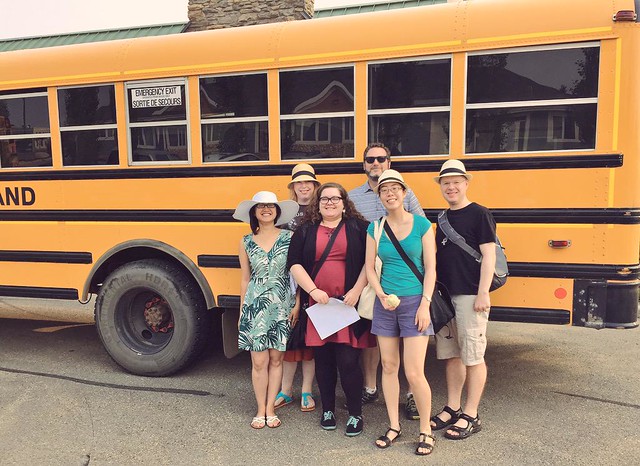
The Taste Alberta crew, photo by Linda

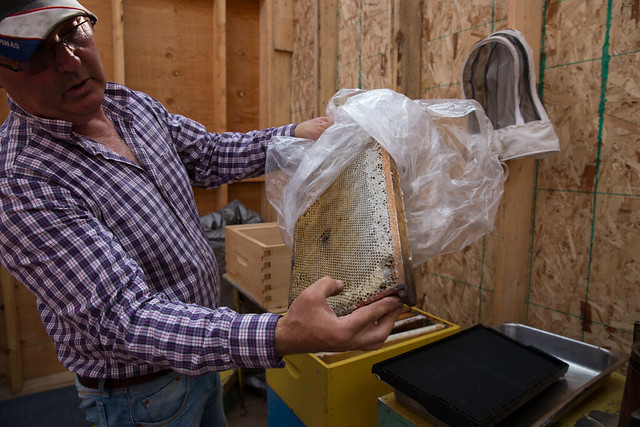
There were two variants to the tour: the bee tour which stopped at Wolf Willow Honey and the dairy tour which visited Breveliet Dairy. Both tours also got to see Tofield Meat Packers and Irvings Farm Fresh. As we had toured Bles Wold Dairy in the past, we decided to go with the bee tour.

It was neat to see the bees and hives and to taste the different variants of honey but overall I was a bit underwhelmed. I would have appreciated some more information and guidance during the tasting, for one thing. That said, Doug Chalmers was an encyclopedia of information and it was great learning from him how the bees do their thing! You can buy Wolf Willow Honey at Duchess Provisions.

Wolf Willow Honey
Sharon tasting the honey

Wolf Willow Honey
Bees!

Wolf Willow Honey
Doug Chalmers teaching us about bees

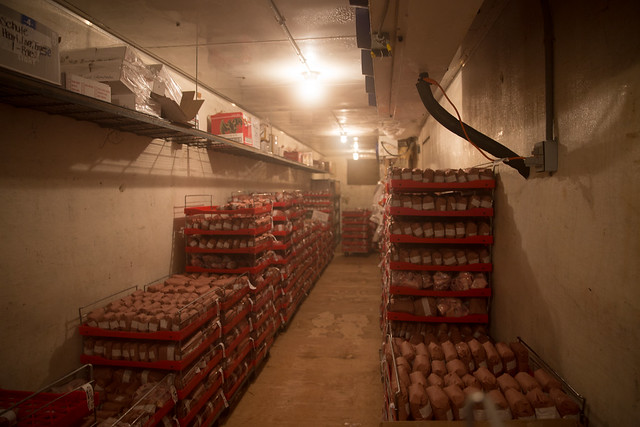
Our next stop was Tofield Packers. It’s a relatively small facility but is the one that Irvings Farm Fresh uses. I definitely enjoyed the opportunity to see the processing part of the process. We walked through and saw where the animals are led in, one-by-one, to the kill floor. Next was the aging rooms where the carcasses were hanging, followed by the freezers and the smoker.

Tofield Meat Packers
Tofield Packers

Tofield Meat Packers
Cattle and pigs

Tofield Meat Packers
It was about -25 C in this room!

Sharon and I have been buying Irvings Farm Fresh products for years now and have always wanted to visit the farm. When the Grand Taste Tour came up it seemed like the perfect opportunity to finally do so! The berkshire pigs looked just as happy as we imagined they would, with lots of space and mud to enjoy.

Irvings Farm Fresh
Berkshire pigs

Irvings Farm Fresh
Happy pigs in the mud

Irvings Farm Fresh
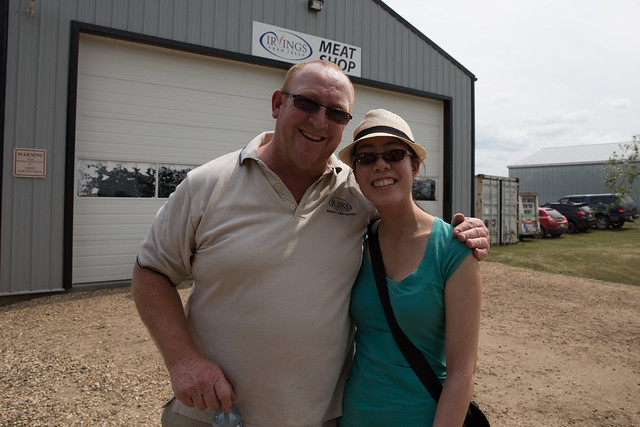
Alan and Sharon

In between touring the farm and lunch we had a butchery demo from Elyse Chatterton. She’s incredibly engaging and did a masterful job of showing us a variety of pork cuts in just a few minutes, even explaining the difference in how things are done in England and here in Canada.

Irvings Farm Fresh
Elyse showing us how it’s done

Irvings Farm Fresh
She had a very captive audience

The “lunch” at the end of the day was unreal. Prepared by Daniel Costa and his Corso 32/Bar Bricco team, it was more like a full dinner complete with eight dishes! A meal like that would have easily cost as much as the ticket to attend the entire tour, so it absolutely made the Grand Taste Tour feel like a good deal.

2015 Grand Taste Tour
The most amazing spring pea & mint with crostini

2015 Grand Taste Tour
We couldn’t get enough of the delicious risotto

2015 Grand Taste Tour
Kirsta with the chefs

It was a great day. Awesome job Kirsta and the rest of the 124 Grand Market team!

2015 Grand Taste Tour
The group that worked so hard to make the day happen

You can check out more photos from the tour here and keep an eye on Sharon’s blog for her write-up!

Making my workspace more ergonomic with a standing desk

I spend a lot of time at my desk. Many of us do these days, with software eating the world and all. That’s why I’ve put some effort (and money) into creating a more ergonomic workspace. I’ve focused on three main areas for this: the keyboard and mouse, the chair, and the desk itself. Fortunately it wasn’t pain or discomfort that prompted these changes and hopefully by making them proactively I’ll remain pain and discomfort free!

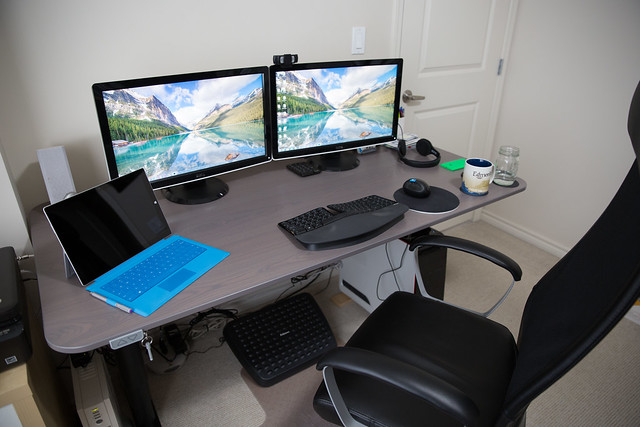
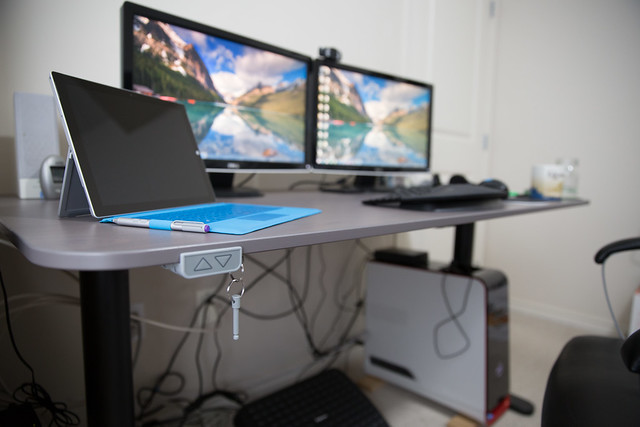
Ikea Bekant Sit/Stand Desk

Keyboard & Mouse

I started with the keyboard and mouse, which I have written about previously. I went with the Microsoft Sculpt Ergonomic Keyboard, which you can get on Amazon for just over $100. An ergonomic keyboard definitely takes some getting used to, but I would never go back now. I do end up typing quite a bit on my Surface Pro keyboard when I’m not at home, but after a while I definitely find myself missing the Sculpt Keyboard. If I’m going to do a serious amount of typing, such as when I’m writing a blog post, I try to make sure I’m using it. It may not be the most ergonomic keyboard you can get, but it does tick a lot of the boxes for an ergonomic setup like the palm rest, split design, and natural arc. The mouse too has the thumb scoop and height to ensure your wrist is in a more comfortable position. Overall I’ve been very happy with this setup.

Microsoft Sculpt Ergonomic Desktop

Chair

The next thing I decided to improve was my chair. For years I had been using a pretty basic office chair from Staples. It worked fine and did have a curved back which offered some support but after years of abuse it was starting to show its age. It was time to replace it anyway, so getting a more ergonomic one just made sense.

I read quite a bit about office chairs (or “task chairs”) and the different factors you should look for. I very quickly realized that if I wanted to, I could spend thousands of dollars on a chair! I decided my budget was going to be quite a bit less than that, hopefully below $500. I read a lot of reviews, but this one from The Wirecutter had a big impact on my decision. Their recommendation was the Steelcase Leap, but at around $1000 it was a bit too rich for me. Fortunately they also had a strong recommendation for a less expensive chair: the Ikea Markus Swivel chair which you can get for about $229. Here’s what they wrote:

“I don’t think the Markus would be a bad choice for someone who would never consider paying $800 for a chair, no way no how. It definitely never felt like my chair the way the Leap or the Embody did, in large part due to that limited adjustability. And I strongly believe that most people would find the Leap or the Embody far more comfortable than the Markus, in an immediate sense and over time. But in terms of the ergonomic criteria mentioned by the experts above, the Markus will be sound for most, except perhaps the tallest users.”

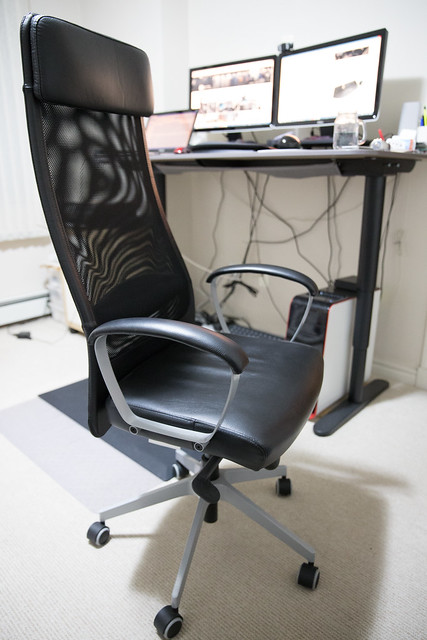
I’m definitely not the tallest person so that didn’t worry me. And it does have less adjustability than other, more expensive chairs; you can’t adjust the lumbar support, the head rest, or the depth of the seat pan. But other than that, it more than meets my criteria for an ergonomic chair. I’ve been extremely happy with it! I particularly like the mesh back and how thin it is. I didn’t think I’d like the headrest, but after months of use I’m sold.

Ikea MARKUS Swivel Chair

Of course, sitting properly and getting the benefits of a well-designed chair is easier said than done. I know it’s important to sit as far back in the seat as possible, so that my lower back is against the lumbar support. But even with the ability to recline, I found myself slouching too often. So I added a footrest and that made a huge difference. Now when I’m sitting at the desk, I make sure my feet are up on the footrest and it helps me ensure I’ve got the correct posture. It’s a simple change, but it made a big difference.

Standing Desk

You know what they say: sitting is the new smoking. I didn’t need anyone to tell me that sitting too much is bad, of course. Getting up and walking around has always made me feel better. I tend to pace when I’m on a call and I often try to go for a walk after sitting for a while. It helps to both clear my head and to keep my energy up.

Still, I have long wanted a standing desk. I’ve seen them in other offices and was always immediately jealous. I tried to approximate a standing desk on more than one occasion, using the counter, boxes on a table, whatever. But I wanted the real thing. While I again did a bunch of research on standing desks, I was pretty set on getting the Ikea Bekant Sit/Stand Desk from the moment it was announced. Not only was it electronically adjustable from 22″ to 48″ at the press of a button, it was less than $1000! Just like a good chair, standing desks can cost multiple thousands of dollars. For my first one, I wasn’t prepared to spend that much.

The only problem is that Ikea seems to have been plagued by supply issues. As I write this, the desk I bought isn’t even listed on Ikea Canada’s website anymore (the normal one, not the corner or five-sided which both still appear). For months it appeared but showed no inventory. Eventually I decided to just ask in the store itself and discovered that while the tabletops are available in self-serve, the motorized underframe is only available from the back warehouse. I was able to pay for it at customer service and then just had to wait for a few minutes while it was brought out to me. The frame cost $500 and the tabletop was another $90. That’s an amount I was comfortable spending for my first standing desk!

Mack at the Standing Desk

I’ve had it for about a month now and I love it. And yes, I really do switch between standing and sitting quite a bit.

I had read a few comments online that suggested it was a little wobbly, and while it is indeed less stable than my previous desk, it’s far from an issue. I have it setup right on the carpet and I barely notice it, on a more solid surface I’m sure it would be even less noticeable. The desk is a bit bigger than my previous one, but it feels like it takes up less room because of the open sides.

While the desk itself has a pretty smart design to hide its own cables underneath, I didn’t think about the impact of having a height adjustable desk on my other cords. With my previous desk, I had them zip-tied to try to keep things tidy, but with the standing desk they need to have enough give to allow the desk to move up and down. I still need to think of a better solution to make my setup look cleaner, but it’s fine for now.

I can see how it would be handy to have presets, which is a feature some of the more expensive standing desks offer. But on the other hand it’s great to be able to move the desk up or down ever so slightly too. I can generally adjust the height into my “sitting” and “standing” heights using landmarks (the lightswitch on the wall, the armrests on the chair, etc.). It’s pretty impressive to me how quick moving the desk up and down is.

Ikea Bekant Sit/Stand Desk

I did make two additional changes to try to improve the ergonomics of my standing desk. The first was to add risers to lift the monitors up a bit higher (unfortunately mine are not height adjustable on their own and I’m not ready to replace them yet). Without the risers, I was looking down at the screens too much (don’t let the angle of the photo above fool you). I may raise them higher still, I’m still experimenting with that.

The second was to get an anti-fatigue mat. I went with the Imprint CumulusPro Commercial Grade which was a bit more expensive but was totally worth it. It’s surprising how much of a difference it makes when you’re standing for any length of time! I do of course have to move the mat when I want to switch into sitting mode, but this only takes a few seconds and as a bonus I move it into the kitchen where we’ve also enjoyed using it.

I find myself standing most in the early part of the day which also happens to be when I’m generally on Skype. It’s especially handy now that we have started using video at work so much more. Without the standing desk, I couldn’t pace as I like to do when I need to be on video. Having a standing desk means I can still move around and remain in frame.

Perhaps the most surprising thing about my standing desk is how much Sharon has used it! It’s been weeks since she last used her laptop on the dining room table (her preferred desk). Fortunately the Bekant is large enough at 63″ x 31.5″ that we can both fit comfortably side-by-side with plenty of room to spare.

Overall I’m really happy with my setup right now. I have better posture and I can easily switch between sitting or standing.

NorQuest’s downtown expansion rises

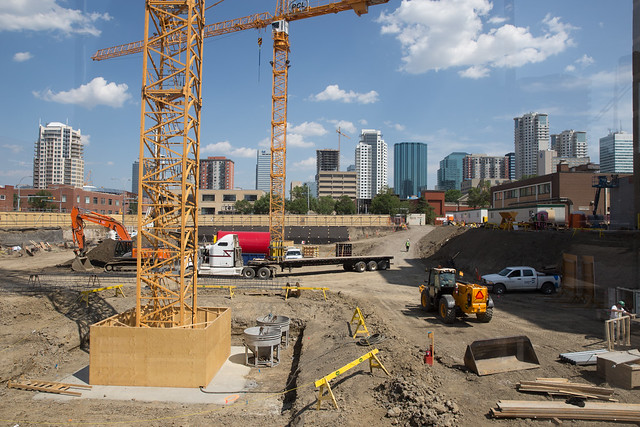
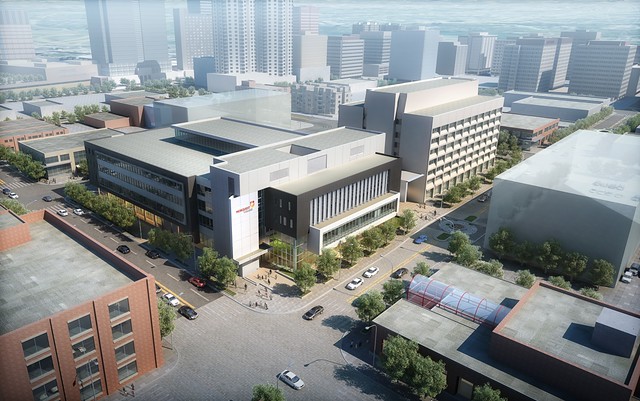
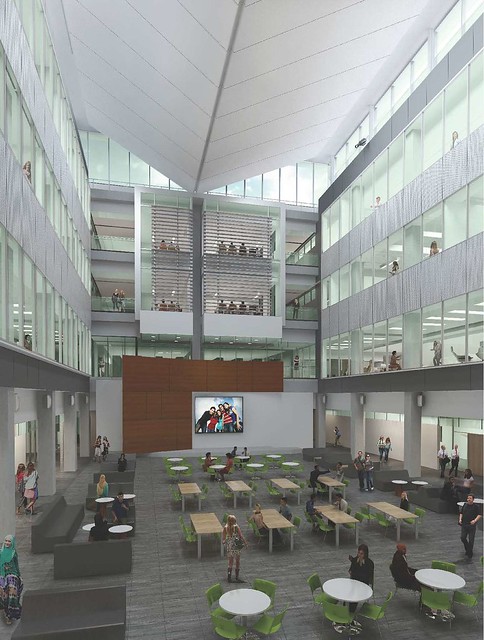
Two more cranes joined the downtown skyline recently as construction on NorQuest’s new Singhmar Centre for Learning heats up. The new facility will be located immediately north of the current NorQuest campus along 103 Avenue between 107 Street and 108 Street (Capital Boulevard). It’s the first major project for NorQuest in roughly 50 years, and when it opens in 2017 it will bring enrollment in the college to over 12,500 students with the goal of doubling the current student population to 20,000 by 2025.

NorQuest Construction

The Province is contributing $170 million to the project, with another $15 million coming through NorQuest’s Maximizing Opportunities campaign. That campaign received a major boost in November when Dr. Prem Singhmar and Dr. Saroj Singhmar contributed $2.5 million to the project, which is where the name came from.

NorQuest Construction

The details are subject to change of course, but current plans would see 24 classrooms, 24 labs, and 3 “flex” classrooms built in the new facility. It would become the college’s main academic building and will serve students studying in a variety of subjects, everything from health care to English as a second language. The Singhmar Centre will also feature a daycare, a new library, food services, and plenty of meeting and activity space. Underground you’ll find parking for about 100 vehicles and 75 bicycles.

NorQuest Singhmar Centre for Learning

The existing main building isn’t going anywhere but will be receiving significant renovations, slated to be complete in 2018. The smaller Health Education Centre building on the corner of 102 Avenue and 107 Street will be demolished at some point after the expansion opens. When the entire project is done, it’ll offer not only important new learning space for NorQuest students, but also plenty of publicly accessible green space too. It’s great to see another giant downtown parking lot disappear!

Expectations for a modern college

The existing downtown campus opened in 1971, when both educators and students had very different expectations than they do today. The new campus should help NorQuest to keep up-to-speed with the changing technology requirements (and knowledge) of its students and staff.

NorQuest Singhmar Centre for Learning

About 89% of students have a smartphone, 52% use a tablet, and 95% have access to high speed Internet, and those numbers are only going up. Lots of students choose NorQuest in order to prepare for their careers, which these days always involves technology. I’m looking forward to learning more about what technology features the building will have.

A diverse student population

Based on the 2013-2014 academic year, about 75% of NorQuest students are from the Edmonton region, but 60% were born outside of Canada, representing around 90 countries. There are nearly 70 languages spoken on the NorQuest campus!

NorQuest Singhmar Centre for Learning

Approximately 11% of NorQuest’s student population are Aboriginal (First Nations, Metis, or Inuit ancestry). That’s one of the reasons why the college is so excited about the Aboriginal ceremonial room that the new campus will feature. The centrally-located and inviting room will be overseen by one of NorQuest’s elders-in-residence.

As Edmonton’s Aboriginal population continues to grow, NorQuest is looking forward to contributing to the success of that community. They recently launched a two-year pilot project in conjunction with Bow Valley College to help more than 600 Aboriginal people train for careers in the construction industry.

Connected to the LRT

With the Valley Line LRT slated to run right up 107 Street beside the campus with a stop just south of 104 Avenue, NorQuest will become connected by train to MacEwan, NAIT, and the University of Alberta.

As mentioned, NorQuest’s student population is very diverse. With a large number of newcomers, who NorQuest says typically rely on transit, being so close to the LRT will be key for remaining competitive in the future. In fact, 69% of NorQuest students cited “location” as an important factor in their decision making, and having the LRT there will make the decision that much easier.

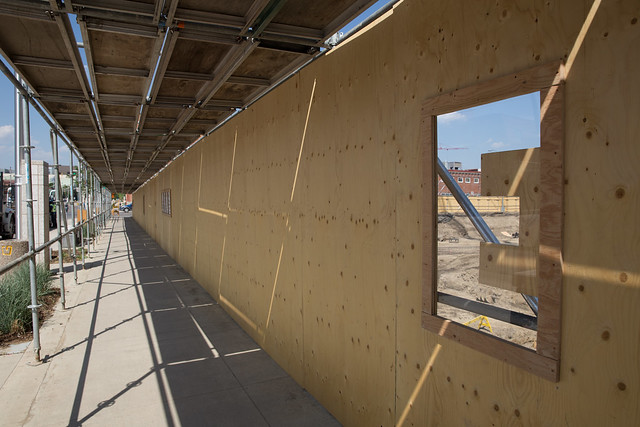
A window into the construction

I believe the Singhmar Centre for Learning is one of the first downtown construction projects to feature the “E” window that was unveiled back in May. As you walk around the construction site under the scaffolding, you’ll find a series of E-shaped windows that let you peek into the construction activity happening on-site.

NorQuest Construction

You can follow along as construction of the Singhmar Centre for Learning progresses at the microsite. They’ve got a blog and are also on Twitter as @nqexpansion. As is the trend these days, NorQuest is working to create a timelapse of the construction so you can revisit the transformation once it is all done.

NorQuest is also celebrating its 50th anniversary in 2015 “with a year-long series of events and activities.”

UPDATE: Corrected to clarify that the Health Education Centre building will not remain as originally stated and will in fact be demolished.
UPDATE2: NorQuest has updated their microsite to say that the Province is providing $170 million, not $154 million as originally stated. I have updated the post accordingly.

EndPoverty Edmonton recognizes volunteers and moves closer to finalizing its strategy

When I last wrote about EndPoverty Edmonton, the task force had formed a series of working groups tasked with generating recommendations that would form the basis of a strategy to end poverty in Edmonton. Now five months later, after countless hours of hard work from hundreds of volunteers, the strategy is inching toward completion.

EndPoverty Edmonton is a task force chaired by Mayor Don Iveson and Bishop Jane Alexander and is composed of 18 leaders and stakeholders representing a broad array of communities. The vision is to eliminate poverty in Edmonton within a generation (roughly 30 years according to the OECD definition) and the task force’s mandate is to develop a long-term plan to achieve that vision.

Volunteer Appreciation

Last week, Mayor Iveson and the City staff working on the project hosted a volunteer appreciation event. “It’s so encouraging to see how many people stepped forward to help,” Mayor Iveson said. “Thanks for caring and wanting to make a difference for your fellow citizens.”

Over 200 volunteers contributed to 7 working groups, 2 round tables, and a few other subcommittees of the task force. Most groups met at least once a month from September 2014 through March 2015, and sometimes they met much more frequently than that. Countless hours were put in to help develop the recommendations required to construct the strategy.

The mayor acknowledged that although the structure and timescale that was imposed was difficult, it was important to maintain momentum, and seemed happy that that had been more or less achieved. He admitted that he’s not sure what EndPoverty Edmonton will look like after the strategy is finalized, but said that multiple options and models are being considered.

The goal now is to build a movement and the challenge is to figure out how to sustain it for a generation. “We have mugs now so we’re an official thing!” he joked. Everyone got to take one home at the end of the night. They won’t make a movement, but they can help to spark the conversation, we were told.

EndPoverty Edmonton

Toward the end of his remarks, Mayor Iveson talked about the TRC recommendations and The Walrus Talks Aboriginal City event from a couple months ago. He shared some thoughts on treaties, on what the Cree word for poverty means (it doesn’t talk about money), and on Canada being “an unfinished country” before joking that he didn’t mean to deliver his nation building speech. I thought the question he posed was entirely appropriate though: “What would it look like if we set out to build a city that lives and breathes the treaty spirit?”

The parting message to volunteers was to stay involved, as ambassadors if nothing else.

Recommendations

The working groups and round tables generated approximately 80 recommendations with over 400 actions. These were presented to the task force in March, and over the last few months they narrowed the list to 59 recommendations by combining similar ones and reworking others. To give you a sense of what the recommendations look like, here are a few selected at random:

  • Establish an Aboriginal Culture and Wellness Center
  • The City of Edmonton should ensure the design of transportation modes and access for citizens from all walks of life to basic services within inclusive Edmonton neighbourhoods
  • Improve income security as a pivotal factor for achieving good health and wellness
  • Improve timely access to a range of preventative-oriented mental health and wellness services
  • Grow entrepreneurship initiatives to build sustainable livelihoods and assets
  • Spearhead a “Make Something Inclusive Edmonton” movement of public space that create opportunities to inspire caring relationships, mutual sharing and learning among community members

Earlier this month, the number of recommendations was further reduced at a two-day facilitated event for task force members. They established criteria, priorities, and categorizations for the recommendations to help narrow the list down to just the most critical ones. For criteria, they considered:

  • Upstream/prevention
  • Impact on vulnerable populations
  • Foundational/sustainable change
  • Ripple effect
  • Achievable

As for priorities, they decided upon two types: “must do” and “why not?” They further categorized these as recommendations that fall within the mandate of the City of Edmonton, recommendations that the City will lead along with other stakeholders, and recommendations that belong with the broader movement.

In the end, 26 priority recommendations were identified and they are expected to go into the strategy that Council will consider in the fall. Half of these are considered “must do” while the other half are “why nots”. The list could still change in the end, but it feels like the task force is very close to finalizing it.

At the volunteer appreciation event, Mayor Iveson made a point of reassuring everyone that “the detail is not lost” and that the broader list of recommendations and actions has simply been parked for now and will become critical again as we get into implementation. He noted the importance of ensuring the work would “resonate with and have an impact on some key audiences” like policy makers and politicians.

Public Support

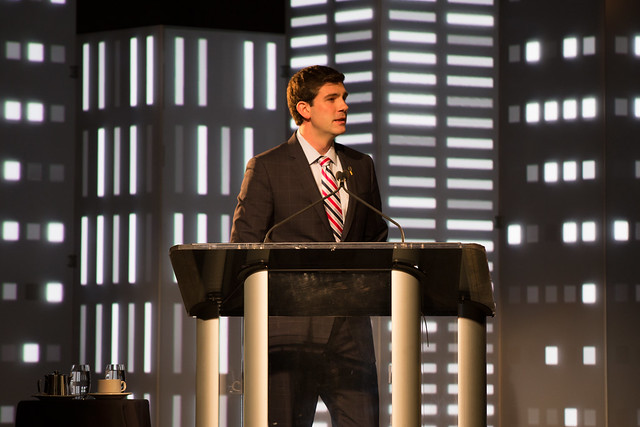
When Mayor Iveson first talked of elevating poverty elimination to a task force with the weight of the mayor’s office behind it, he wasn’t sure how the idea would be received. “It’s a bold goal, but we are not afraid to take it on,” he said publicly, but privately he was uncertain about announcing the task force in front of 2200 business and community leaders.

State of the City Address 2015

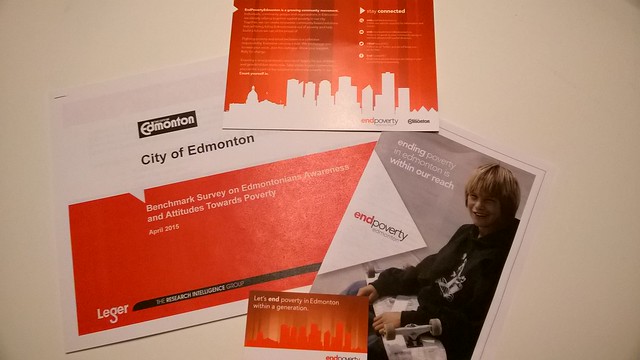
Of course he charged ahead, and the room expressed its strong support for the initiative. And in April, further support was identified through a benchmark survey on Edmontonians’ awareness and attitudes towards poverty. That survey found that “Edmontonians consider poverty as a significant problem in Edmonton” and that most “would like to know more about how they can contribute towards eliminating poverty.”

Though the feeling that poverty is inevitable lingers, the survey found that the majority of Edmontonians believe that poverty can be eliminated or drastically reduced. There’s also strong recognition that there’s more to poverty than just money.

Count yourself in

The biggest challenge will be turning the work of EndPoverty Edmonton into a movement that can last for a generation. In recent weeks the City along with its partners has developed some marketing material to help build toward this goal.

“Fighting poverty and social exclusion is a collective responsibility. Everyone can play a role. We encourage you to raise your voice. Join the dialogue. Show your support. Rally for change.”

A big element of this was the launch of the new website and the increase in activity on social media. Both are continuing to develop and will gain new improvements in the months ahead, but already I’ve found the Twitter account a great source of information and resources related to poverty elimination.

EndPoverty Edmonton

You can share your ideas on the website, and stay tuned for additional opportunities coming up such as a series of community conversations over the winter.

What’s next?

A two-phase approach has been adopted to take this work forward. The first phase is the approval of the strategy, which is slated to go to City Council’s Community Services Committee on September 14, followed by a full City Council meeting on September 22. The second phase would be the adopt of the implementation plan, which is expected to be complete around April 2016. In between, a series of community conversations are being planned to give Edmontonians an opportunity to learn about the plan and about what they can do to help implement it.

endpoverty edmonton

You can follow @EndPovertyYEG on Twitter, on Facebook, and you can check out the new website at endpovertyedmonton.ca.